Dash cam recording time calculator
A 64GB card holds about 11 hours of 1080p front-only footage, but only about 3.1 hours from a 4K front and 1080p rear dash cam. Recording time is card size divided by total bitrate, and every extra channel adds roughly 10 Mbps.
That covers most daily driving; the oldest files are overwritten only once the card is full.
minutes = card GB x 0.93 usable x 8,000 / (front Mbps + 10 Mbps per extra channel) / 60Bitrates are typical figures; many cameras let you pick a higher or lower quality setting, and H.265 models use less than H.264 models at the same resolution. If your manual lists a bitrate, enter it in the custom field.
High-endurance cards sized for this answer
Prices from Amazon at the time of writing; they change often.
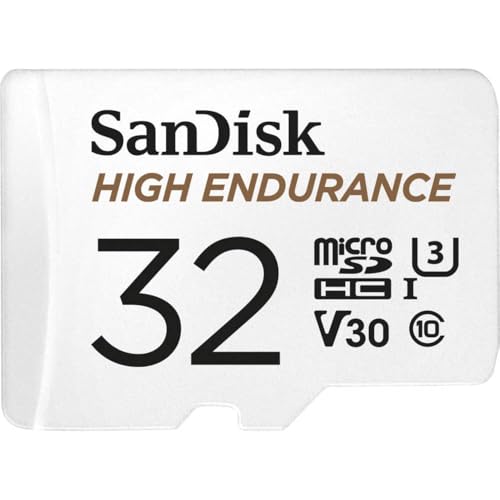 SANDISK 32GB High Endurance Video microSDHC Card with Adapter for dash cam and home...32GB / high endurance$22.99Check price on Amazon
 Integral 128GB High Endurance microSD Card for CCTV, Dash Cam & Security Cameras, 4K...128GB / high endurance$38.95Check price on Amazon
 VIOFO 128GB Industrial Grade High Endurance microSDXC Card for Dash Cam128GB / high endurance$72.99Check price on Amazon
 SANDISK 512GB High Endurance microSD Card + Adapter512GB / high endurance$123.99Check price on Amazon
 VIOFO 512GB Industrial Grade High Endurance microSD Card for Dash Cam512GB / high endurance$229.99Check price on Amazon
How many hours does each card size hold?
Every figure below uses the same typical bitrates as the calculator: 12 Mbps for 1080p, 16 Mbps for 2K, 32 Mbps for 4K and 10 Mbps for each 1080p rear or cabin channel. The time shown is the loop length: how far back your footage reaches before the camera starts overwriting the oldest file.
| Card | 1080p front | 2K front | 4K front | 4K front + rear |
|---|---|---|---|---|
| 16GB | 2 h 45 min | 2 h 4 min | 1 h 2 min | 47 min |
| 32GB | 5 h 31 min | 4 h 8 min | 2 h 4 min | 1 h 34 min |
| 64GB | 11 h 1 min | 8 h 16 min | 4 h 8 min | 3 h 9 min |
| 128GB | 22 h 3 min | 16 h 32 min | 8 h 16 min | 6 h 18 min |
| 256GB | 44 h 5 min | 33 h 4 min | 16 h 32 min | 12 h 36 min |
| 512GB | 88 h 11 min | 66 h 8 min | 33 h 4 min | 25 h 12 min |
Why does my camera record less than the calculator says?
Three things eat into the headline figure. Event files (locked by the G-sensor after a bump or a hard brake) are moved to a protected folder that loop recording never overwrites, and many cameras reserve 10 to 30 percent of the card for them. Parking-mode footage also counts against the same card. And the highest quality setting on some 4K models runs well above 32 Mbps, which can cut the loop by a third.
The fix is the same in every case: size the card for the loop you want, then add a margin for event files. If you are unsure what your camera writes, record ten minutes, check the file sizes on a computer, and multiply: a 1GB file per 4 minutes is about 33 Mbps.
Frequently asked questions
How long will a 32GB card record on a dash cam?
A 32GB card holds about 5 h 31 min of 1080p front-only footage, about 2 h 4 min at 4K, and about 1 h 34 min from a 4K front and 1080p rear camera. After that, loop recording overwrites the oldest files, so the card never fills up; it just stops reaching further back in time.
Does a bigger SD card record better video?
No. Card size only changes how long the loop is, not the image quality. Quality is set by the camera's sensor, lens and bitrate. What a bigger card buys is a longer look back, which matters if you only notice damage or an incident hours later, or if you drive long days and want the whole trip kept.
Why do dash cams need high-endurance SD cards?
Loop recording rewrites the whole card every few hours, which wears out ordinary flash memory quickly. High-endurance cards are rated for thousands of hours of continuous video and cope better with the heat of a windshield. A failing card often keeps recording but writes corrupt files, so the failure is only discovered when you need the footage.
Is H.265 better than H.264 for recording time?
H.265 compresses video roughly 30 to 50 percent more efficiently than H.264 at similar quality, so a camera that records H.265 fits more footage on the same card. If your manual lists the bitrate, type the total into the custom field of the calculator and it will give you the exact loop length.