Dash cam SD card size calculator
To keep 8 hours of footage from a 4K front and 1080p rear dash cam you need about 163GB, so a 256GB card. For a 1080p front camera the same 8 hours fits in about 47GB, so a 64GB card. Always check the maximum card size your camera supports.
Pick a high-endurance card. Endurance ratings, not read speed, decide how long a card survives loop recording.
GB needed = hours x 3,600 x total Mbps / (0.93 x 8,000), rounded up to the next card sizeBuy a high-endurance card rated for continuous video. Ordinary cards wear out quickly under loop recording, which rewrites the whole card every few hours.
Cards that fit this result
Prices from Amazon at the time of writing; they change often.
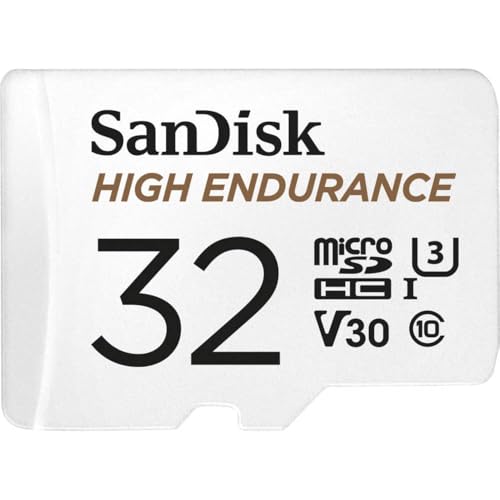 SANDISK 32GB High Endurance Video microSDHC Card with Adapter for dash cam and home...32GB / high endurance$22.99Check price on Amazon
 Integral 128GB High Endurance microSD Card for CCTV, Dash Cam & Security Cameras, 4K...128GB / high endurance$38.95Check price on Amazon
 VIOFO 128GB Industrial Grade High Endurance microSDXC Card for Dash Cam128GB / high endurance$72.99Check price on Amazon
 SANDISK 512GB High Endurance microSD Card + Adapter512GB / high endurance$123.99Check price on Amazon
 VIOFO 512GB Industrial Grade High Endurance microSD Card for Dash Cam512GB / high endurance$229.99Check price on Amazon
What card size fits a day of driving?
The table rounds each requirement up to the next card size sold. It assumes typical bitrates and no event-file reserve; add one size up if your camera keeps a large protected folder.
| Hours kept | 1080p front | 2K front | 4K front | 4K front + rear |
|---|---|---|---|---|
| 1 h | 16GB | 16GB | 16GB | 32GB |
| 2 h | 16GB | 16GB | 32GB | 64GB |
| 4 h | 32GB | 32GB | 64GB | 128GB |
| 8 h | 64GB | 64GB | 128GB | 256GB |
| 12 h | 128GB | 128GB | 256GB | 256GB |
| 24 h | 256GB | 256GB | 512GB | 512GB |
What is the maximum SD card a dash cam supports?
Every camera has a maximum, and exceeding it usually means the card will not format or the camera loops erratically. Many older 1080p cameras stop at 32GB or 128GB; most current 4K models accept 256GB or 512GB. The number is in the manual and often in the listing title.
Format the card in the camera, not on a computer, before first use and every few weeks. The camera sets the file structure it expects, and regular formatting clears fragmentation that causes dropped files.
Frequently asked questions
What size SD card do I need for a 4K dash cam?
For a 4K front camera, 128GB keeps about 8 h 16 min and 256GB about 16 h 32 min. With a 1080p rear camera added, 256GB keeps about 12 h 36 min. For most commuters 128GB is enough; for road trips or parking mode, 256GB is the practical choice if the camera supports it.
Is 64GB enough for a dash cam?
64GB is enough for a 1080p front camera, which it covers for about 11 h 1 min. For a 4K front and rear camera it holds only about 3 h 9 min, which a long day can overwrite. If you use parking mode or drive for work, step up to 128GB or 256GB.
Can I use a 1TB card in a dash cam?
Only if the manufacturer lists it as supported. Most dash cams top out at 256GB or 512GB, and a larger card may refuse to format or cause recording errors. Bigger is not better if the camera cannot address it; check the stated maximum first and buy a high-endurance card at or below it.
Does card speed matter for a dash cam?
A U3 or V30 rating is enough for every consumer dash cam, including 4K models, because even a 4K front and rear camera writes only about 5 megabytes per second. Endurance matters far more than speed: a fast card that is not rated for continuous recording can fail within months.